Get a Free Agnes AI API Key — Complete Guide
Every AI capability on this site is powered by the free Agnes API. Register in 3 minutes to get a key; using the website takes one paste, and only self-hosting needs extra configuration.
Using Agnes Video Generator requires only a free Agnes AI API key from platform.agnes-ai.com, obtained with an email signup and no credit card. The key is stored in your browser localStorage and is never sent to this website server. There is no paid tier. Each key has its own rate limit on the shared free inference queue.
About 3 minutes to sign up — free, no credit card
How we relate to Agnes AI
This site is an independent third-party open-source tool. It is not affiliated with, authorized by, or partnered with Agnes AI. We provide it free of charge only to make Agnes models easier to use; you register and obtain your API key on the official Agnes platform, and the account, quota and billing are managed by Agnes. Model names and capabilities mentioned here follow the official Agnes documentation.
Which way are you using it?
Getting the key is identical on both routes — the only difference is where you put the key afterwards.
Use this website (recommended)
No install · one clickRun everything in your browser: open the studio on this site, paste the key into the panel and start generating. Nothing to install, no environment variables.
See the website steps ↓Self-hosted / local deployment
Needs configRun the project on your own machine or server (Docker, local scripts). In that case you set the key through an environment variable, the local Web UI, or the local API.
Read the self-hosting guide →Step 1 (both routes): sign up and get a free key
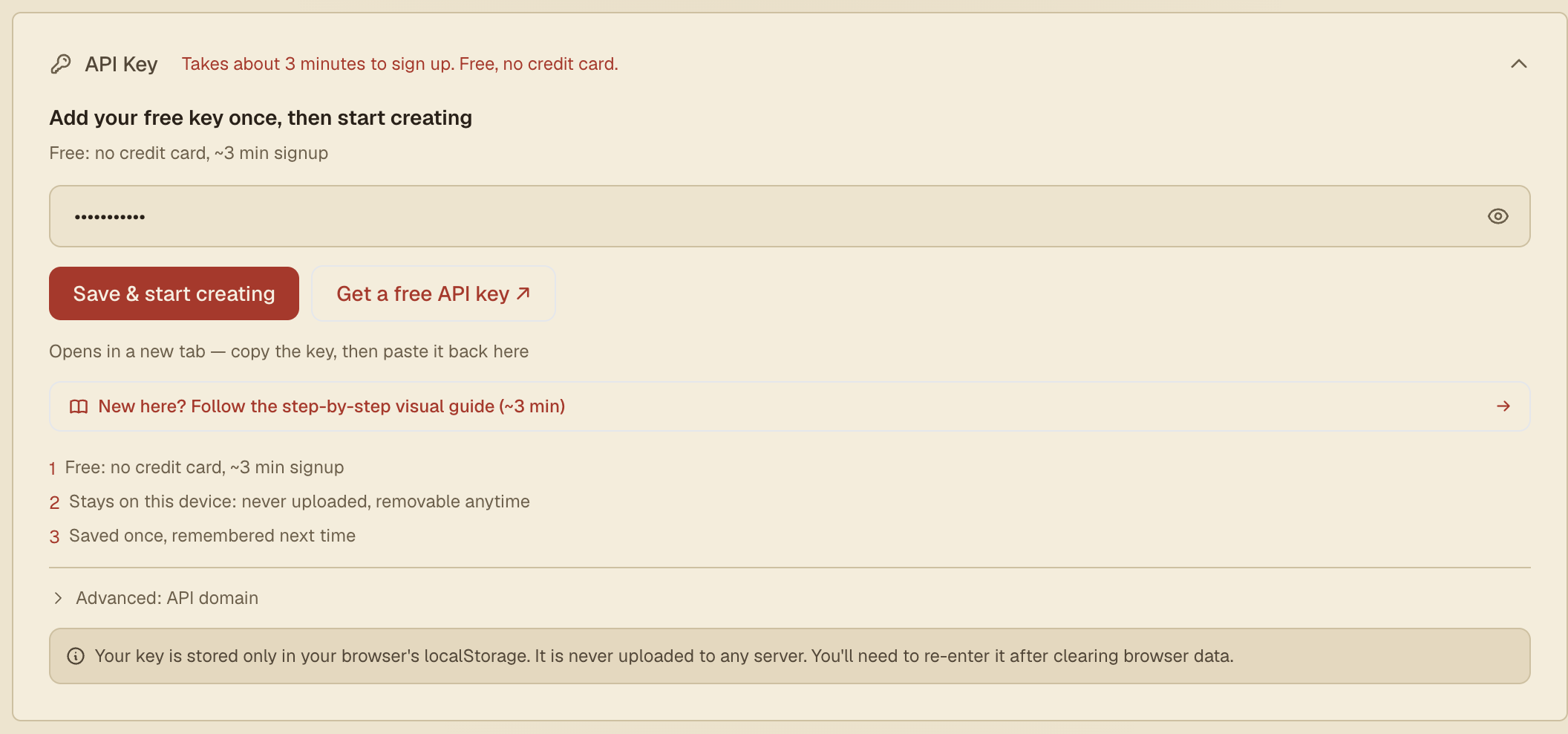
Screenshots were captured from the official Agnes platform in English (November 2026); the last one shows the key panel on this site.
- 1
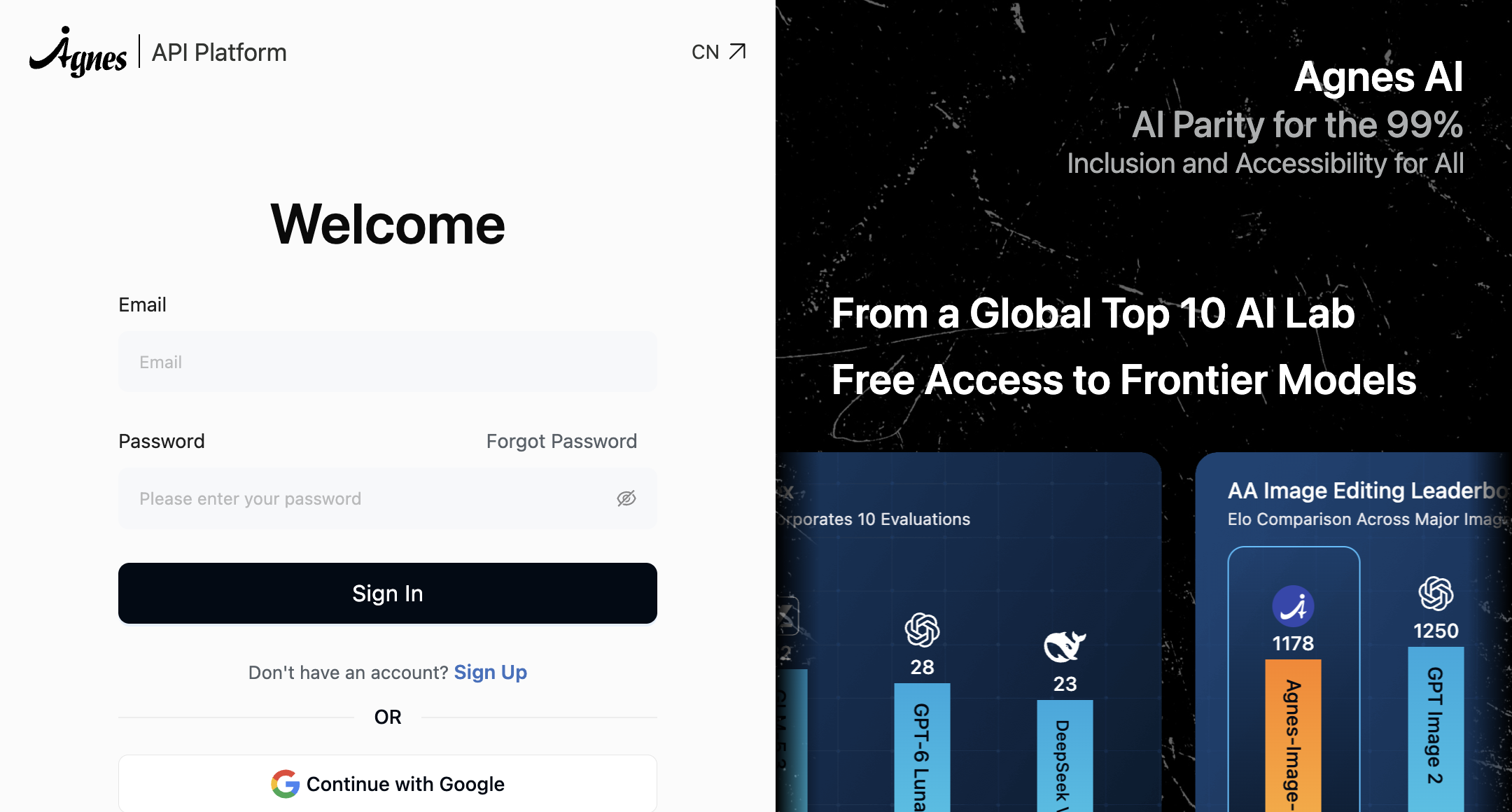
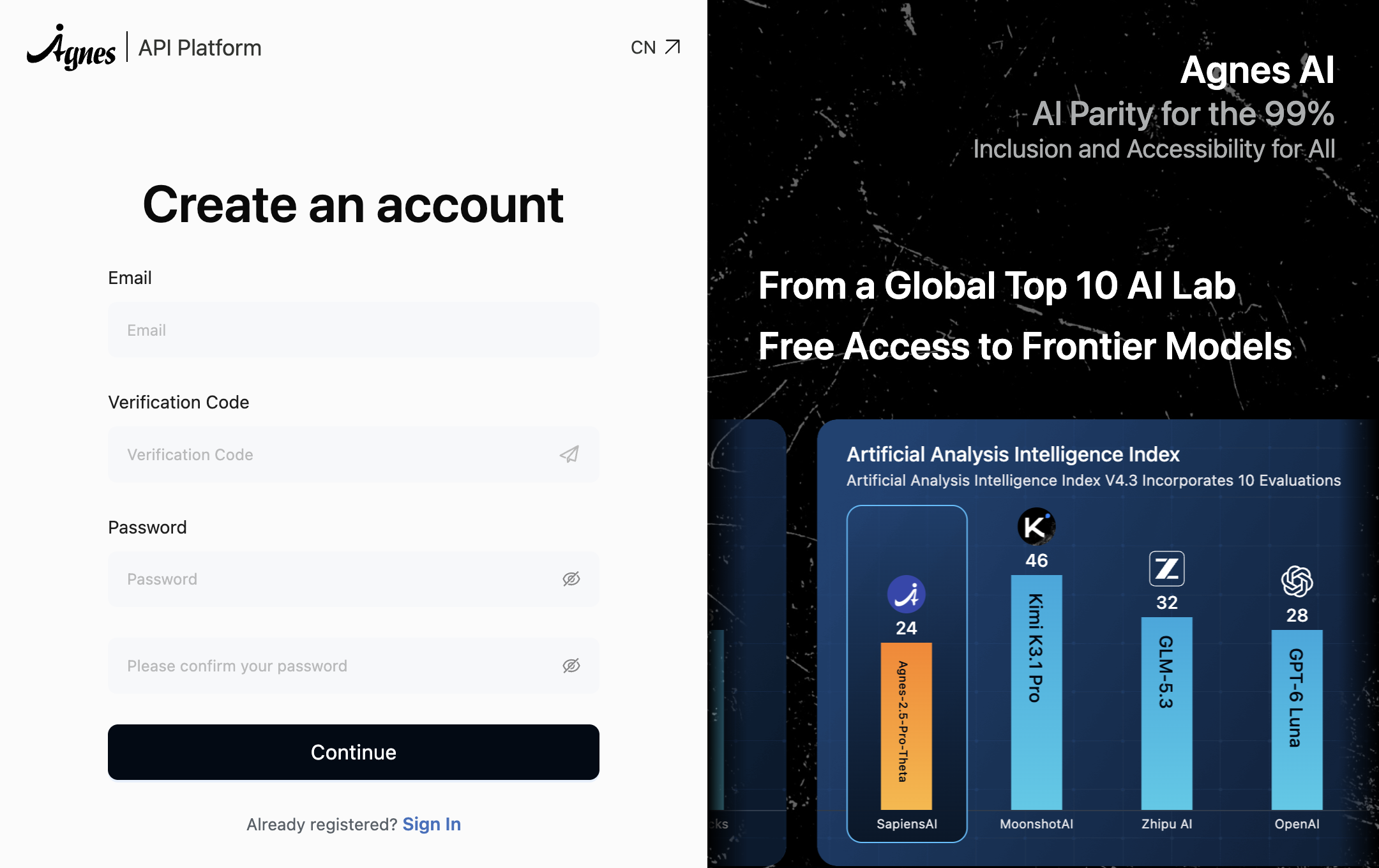
Open the sign-up page
Go to platform.agnes-ai.com and register with your email — completely free, no credit card required.
- 2
Open key management
After logging in, find "API Key" or "Key Management" in the console.
- 3
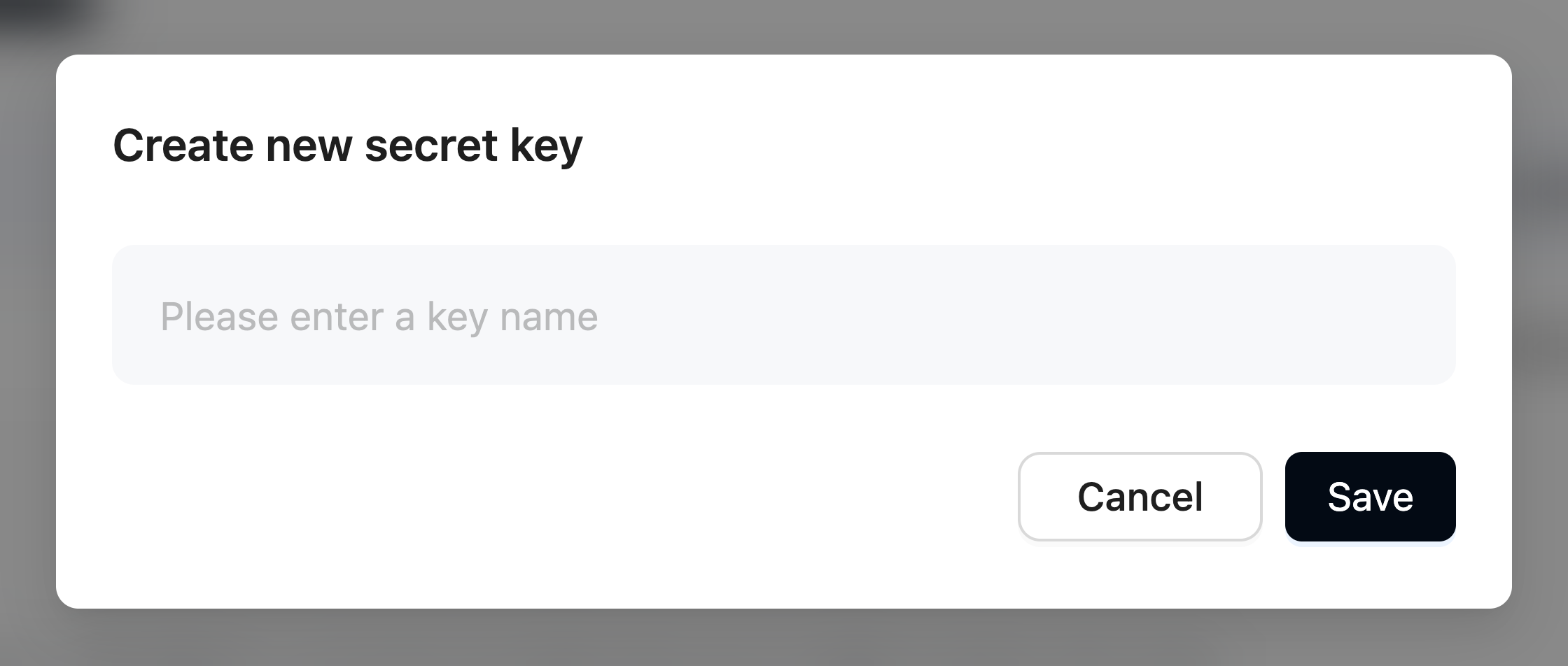
Create and copy your key
Click create, then copy your API key — a long string of letters and numbers. Keep it somewhere safe; it may not be shown in full again after you close the page.
- 4
Keep the key on your clipboard
Now pick the route that matches you: A if you use this website, B if you deployed the project yourself.
Step 2A: use this website (no install)
No install · one clickThis section is for people using video.lichuanyang.top directly.
- 1
Open the online studio
Go to the studio on this site — the API key panel sits at the top of the workspace.
- 2
Paste the key and save
Paste the key into the panel and hit "Save & start creating". The key stays in your browser storage and is never uploaded to our servers.
- 3
Start generating
Pick Image / Single-shot / Multi-shot, enter a prompt and generate. The key is remembered for next time, so you only do this once.
Step 2B: configure a self-hosted deployment
Three ways to configure (self-hosted only)
Pick any one. Note that these addresses belong to your local service (localhost:8765 by default), not to this website.
Method 1: paste into the local Web UI
After the service starts, open http://localhost:8765, paste the key into the input at the top of the page and save — it takes effect immediately.
Method 2: environment variable AGNES_API_KEY
Best for Docker and server deployments — the key never lands in the UI.
export AGNES_API_KEY="your-api-key"
# Or prefix the start command:
AGNES_API_KEY=your-api-key ./start.sh
Method 3: set it through the local API
Equivalent to filling in the local Web UI — good for scripted configuration.
curl -X POST http://localhost:8765/api/config \
  -H "Content-Type: application/json" \
  -d '{"api_key": "your-api-key"}'
How to tell the key works
- Website: after saving, a green "Saved" label appears next to the panel title — just start generating.
- Self-hosted: generate once after starting the service; a 401 response means the key is wrong or the environment variable was not picked up.
- Don't copy extra spaces around the key — a single stray space breaks authentication.
Where else the key works
- This website: the online studio and Studio page (no install, key stays in your browser)
- Self-hosted / local deployment: the same key works for your local service — see the self-hosting guide
- Direct Agnes API calls: see the API docs
Done in 3 minutes — start creating now
Once you have the key, the fastest way to try it is the online studio on this site — nothing to install.
Web VersionOfficial Agnes resources
Related Pages
Agnes models and capabilities
Agnes AI free multimodal API: text, image and video models behind one key. Model family, video and image capabilities, free-tier limits, and our independent relationship with Agnes.
Agnes Self-Hosting Guide — Docker, npm, AI Agent | Free AI Video Guide
Run the free open-source AI video generator on your own computer or server: start.sh manual deployment, one-command Docker, npm CLI, AI Agent — complete commands and requirements.
Agnes Video Generation Errors: HTTP 503 Queue Full, 401 Token & Retry Fixes
How to fix Agnes Video Generator errors: HTTP 503 video queue is full, 401 invalid token, failed or interrupted generations with checkpoint resume, plus system requirements and API Key basics.
Text to Video API — Free AI Video Generation API, No GPU | Agnes Video
Programmatically access Agnes AI's free video models. Text-to-video, image-to-video, and narration APIs. Developer-friendly, zero-cost, no high-end GPU required.
Web Version | Agnes Video
Enter a prompt and generate AI videos and images instantly
Official Platform Docs
All sign-up, key-creation, and configuration steps in this guide come from the official Agnes AI console and API documentation.
- Agnes AI 开放平台 — 免费注册与 API Key 管理Agnes AI · platform.agnes-ai.com (2026)
The registration entry (platform.agnes-ai.com), no-credit-card policy, and free quota follow the official console.
- Agnes AI Open API — 视频 / 图片生成接口Agnes AI · apihub.agnes-ai.com (2026)
Key authentication (Bearer) and rate limits (16 req/min) are specified in the Agnes Open API docs.
- agnes-video-generator — 开源 AI 视频生成项目lcy362 · GitHub (2026)
The official implementations of the three configuration methods (Web UI / env vars) are verifiable in the GitHub repo.
SandGrid@lcy362
Author of Agnes Video Generator · Full-stack Developer
Independent developer and author of Agnes Video Generator, an open-source (MIT) AI video generation tool built on Agnes AI's free video models. Has helped 1,000+ creators produce AI videos at zero cost. Focused on making video generation models accessible and production-ready; content is based on hands-on practice and primary research.
Downloadable VersionLast updated:2026-08-21
Ready to Start Creating?
"Making world-class AI belong to everyone." — Bruce Yang. It's completely free, no credit card, and you won't need a high-end GPU. Your first AI video starts at zero cost. Want to use Agnes AI's free video models? This is the easiest way in.
Two independent editions — pick either one