Free Online AI Video Generator and Image Generator (Image · Simple Video · Creative Video)
This page is the Agnes Video Generator workspace. Image, single-shot clip, and multi-shot story are three tabs of the same tool. Single-shot clip is the default. The Web Studio entry opens multi-shot story directly. Images use agnes-image-2.5-flash. Video uses the limited-time free model Video 2.5 Flash (agnes-video-2.5-flash). Paste a free Agnes API key at the top of the page. It is stored only in this browser.
One 4–12 s single-shot video per run, six aspect ratios. Fast and reliable — great for testing a look or a single shot.
Add your free key once, then start creating
Free: no credit card, ~3 min signup
Just 3 steps, about 3 minutes
Follow the screenshots, then paste your key back here
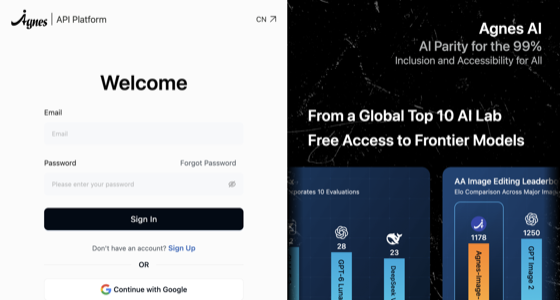
Sign up on the platform
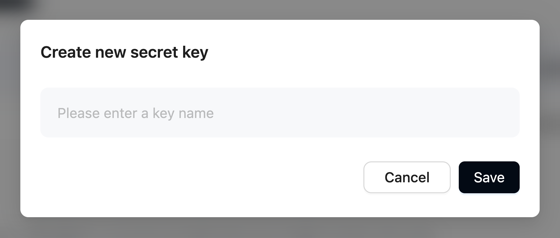
Create a free key
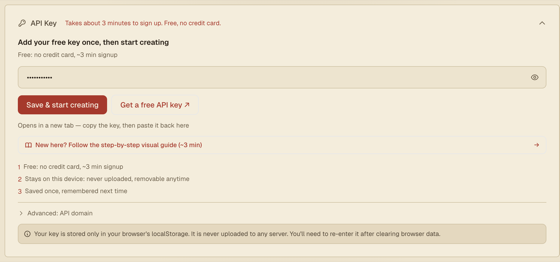
Copy and paste it here
https://platform.agnes-ai.com- Free: no credit card, ~3 min signup
- Stays on this device: never uploaded, removable anytime
- Saved once, remembered next time
Video 2.5 Flash
Free (limited time)Limited-time free model: fixed 720P, 4–12 seconds, supports text-to-video, multi-image reference (up to 5) and native first/last frames.
Self-hosted needs v6.2.0 or newer for the same tiers
Fast retry mode
When the free queue is busy (two 503 / 429 in a row), retry x times per minute for y minutes. After a gap a new round starts automatically, until success or until you stop it. Rejected requests consume no quota.
Long task mode
Replaces the attempt cap with a total wait budget (60 min by default). Rendering, storyboard, voice and stitching time are not charged. Ends on success.
One step left: add your free API key (~3 min)
Video generation typically takes 3–5 minutes. Please be patient.
Creative Video Workshop
AI Screenwriter → Multi-segment Text-to-Video → Browser Concatenation
One step left: add your free API key (~3 min)
More specific story ideas produce more coherent scenes. Include theme, mood, and key plot points.
New-generation model, free for a limited time: fixed 720P, faster and more stable.
Longer durations take longer to generate. Up to 12 seconds.
Start creating with a free Agnes AI API Key. No credit card, no payment.
Scene splitting takes about 10-20 seconds, video generation about 3-5 minutes per segment.
Three entries, three results
Image
One description becomes an image with agnes-image-2.5-flash, in square, landscape, or portrait.
Single-shot clip
The default entry. One 4–12 second clip from text, reference images, or a first/last frame, using Video 2.5 Flash.
Multi-shot story
One idea becomes 2–5 clips and is stitched together. The Web Studio entry lands on this tab. Ratios are 16:9, 9:16, or 1:1.
Start in three steps
- 1
Paste a free API key
Get a free key from the Agnes platform and paste it at the top of the workspace. It stays in this browser and is not uploaded to this site.
- 2
Pick a tab
Image makes a still. Single-shot clip makes one 4–12 second clip. Multi-shot story splits an idea into scenes and stitches them. The Web Studio entry opens multi-shot story.
- 3
Wait, then download
Images usually return quickly. Single-shot clip is polled every 30 seconds for up to 15 minutes. Multi-shot story generates scenes in sequence, then stitches the result in the browser.
Why Agnes Video Generator?
Free, no credit card
The site does not charge. Bring a free Agnes API key. There is no subscription and no card.
Runs in the browser
Images, single clips, and multi-scene stitching all happen on the page. Multi-shot storys are concatenated locally in the browser, then downloaded.
Image generation
Uses agnes-image-2.5-flash, with square, landscape, and portrait sizes.
Single-shot clip
Video 2.5 Flash: text-to-video, up to 5 reference images, and first/last frame. Duration 4–12 seconds. Ratios: 21:9, 16:9, 4:3, 1:1, 3:4, 9:16.
Multi-shot story
One idea is split into 2–5 scenes of 5, 8, 10, or 12 seconds, then stitched in the browser. The Web Studio entry opens this tab.
AI Video Use Cases
Landscape & nature motion
Generate flowing waves, drifting clouds, forest light and other natural motion from a prompt.
Product promo clips
Quickly create product showcase animations for e-commerce or landing pages—no shooting or editing.
Vertical social videos
Generate 9:16 vertical clips ready for TikTok, Reels, Shorts and more.
AI art & illustration
Turn a sentence into concept art, poster assets, or guofeng / cyberpunk style images.
Concept & blog visuals
Produce custom visuals and concepts for articles, slides and decks in seconds.
Avatars & characters
Sketch character portraits, game avatars or virtual personas from text.
Clips made with this model
These two published pieces used the same models. Open a piece to copy the original prompt, then retry it in the matching tab.
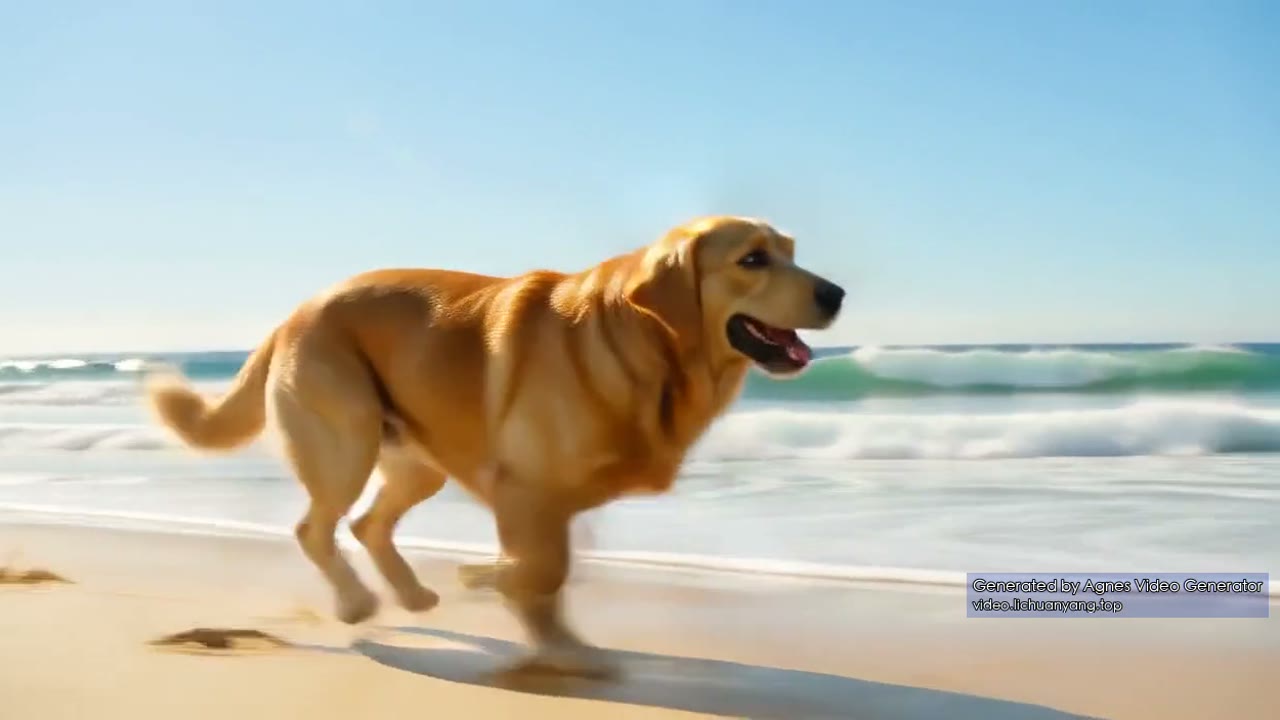 Single-shot clip →Single-shot clip
A Golden Retriever Running on a Sunny Beach
The shortest path from idea to clip: one English prompt, one 4-second 720P landscape shot, no scene plan or narration. Copy its structure when you want to test a visual idea fast.
- #Pets & animals
- #Landscape & nature
- #Cinematic
agnes-video-2.5-flash · 4sView the clip and prompt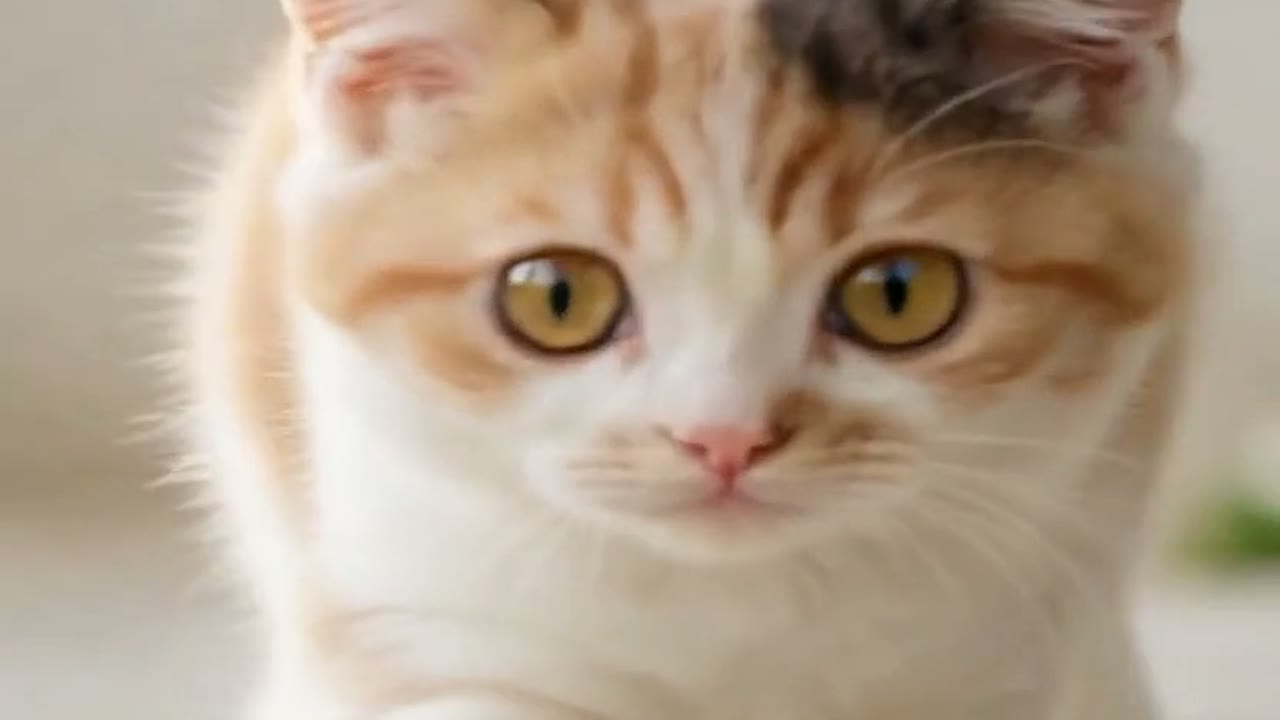 Multi-shot story →Multi-shot story
A Kitten Wandering Through a Garden
A fully Chinese video prompt — idea plus a cinematic photorealistic style line — showing how fur detail, shallow depth of field and two linked shots are described. Copy it as a starting point for your own animal clip.
- #Pets & animals
- #Landscape & nature
- #Photoreal
agnes-video-2.5-flash · 10sView the clip and prompt